Best Clipboard Manager for Developers and Programmers
Find the best clipboard manager for developers with code search, snippet reuse, keyboard shortcuts, masked secrets, local storage, and Paste Stack.

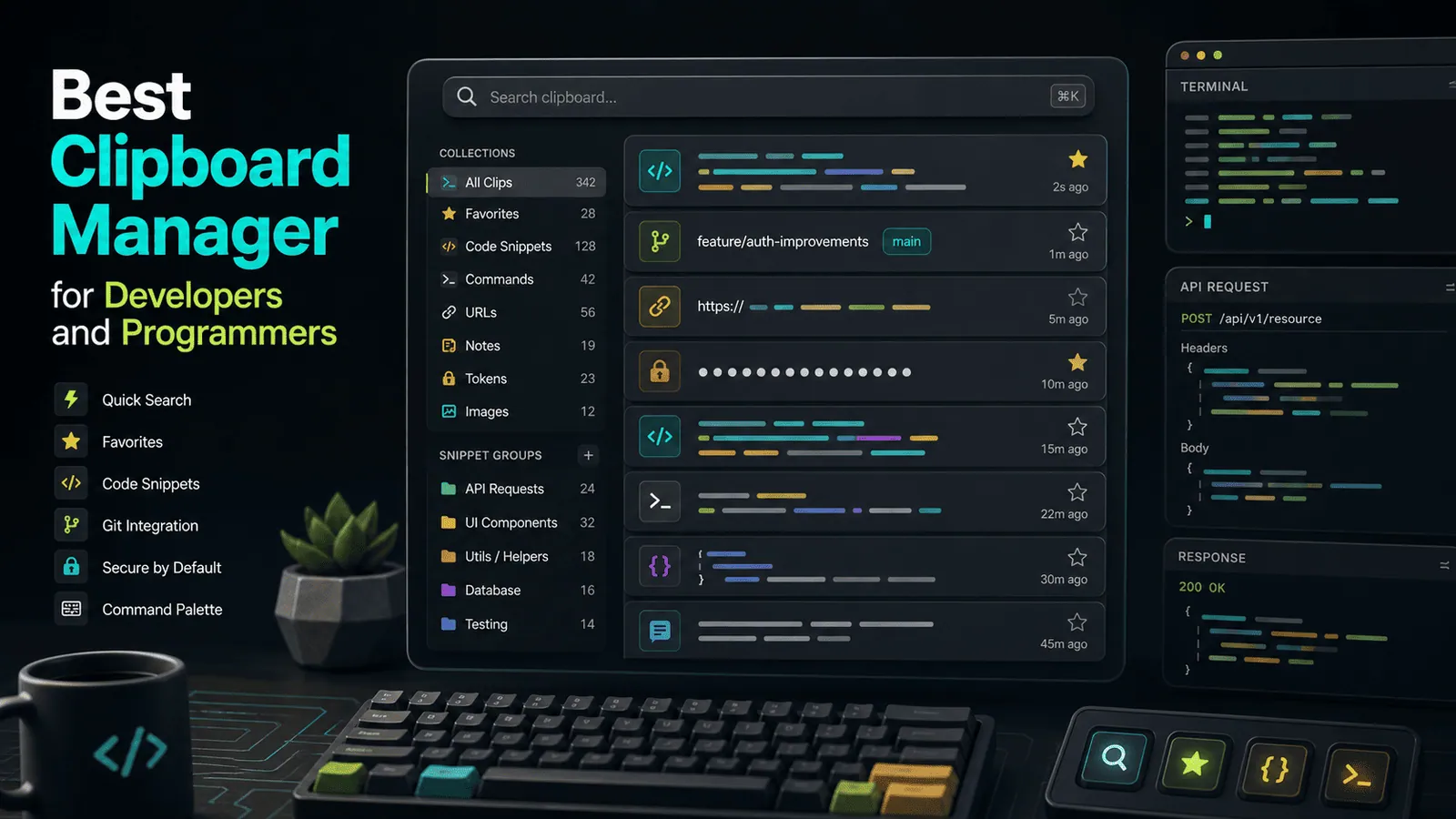
The short answerThe best clipboard manager for developers should make copied code, commands, URLs, file paths, and snippets easy to find without turning secrets into a security problem.
The overview
Developers copy from terminals, docs, pull requests, issue trackers, API dashboards, and editors all day.
A normal clipboard loses context after the next copy, which makes repeated technical work slower.
A developer-friendly clipboard manager needs search, previews, keyboard control, and strong privacy defaults.
Why it happens
Code workflows are fragmented across tools, so copied values are often hard to retrieve later.
Many copied developer values look similar: paths, hashes, commands, IDs, branch names, and URLs.
Clipboard history can accidentally capture sensitive values unless the tool handles exclusions and expiry well.
Your step-by-step guide
Prioritize local search
Look for instant search across copied code, commands, links, and file paths without sending history to a cloud service.
Mask and expire secrets
Use a manager that ignores password managers and can remove sensitive-looking values quickly.
Save reusable snippets
Favorite common commands, SQL fragments, support replies, setup steps, and code templates.
Use keyboard-first previews
Long snippets should be previewable before paste so you avoid dropping the wrong command into a terminal.
Test paste stack workflows
For config, form filling, and release tasks, copy several values and paste them back in order.
Common mistakes to avoid
- Saving API keys, tokens, and passwords without exclusions.
- Using clipboard history as a source of truth for code.
- Pasting long commands without previewing them.
- Letting snippet collections grow without pruning.
Small changes. A faster workflow.
- Search by package name, flag, file extension, or error fragment.
- Favorite commands you use weekly and delete stale one-off clips.
- Disable cloud sync for regulated or client-heavy work.
- Keep terminal paste confirmations enabled when available.
Compare your options
| Option | Best for | Limits |
|---|---|---|
| Editor snippets | Language-specific templates | Usually locked inside one editor |
| System clipboard history | Recent copied values | Weak organization for code |
| Developer clipboard manager | Cross-app code, command, and URL reuse | Requires security settings |
Editor snippets
Best forLanguage-specific templates
LimitsUsually locked inside one editor
System clipboard history
Best forRecent copied values
LimitsWeak organization for code
Developer clipboard manager
Best forCross-app code, command, and URL reuse
LimitsRequires security settings
Put it into practice with Historr
Historr is useful for Mac developers because it keeps clipboard history local and searchable.
It helps you recover commands, URLs, file paths, code fragments, and repeated snippets without switching back through every source app.
Password-manager exclusions, quick preview, favorites, and Paste Stack make it a practical fit for technical workflows.
- Instant search
- Unlimited history
- Favorites
- Keyboard shortcuts
- Privacy
- Offline storage
- Quick preview
- Paste Stack

Keep your next good idea.
Free, private clipboard history for your Mac.
Questions, answered.
What should developers look for in a clipboard manager?
Fast search, local storage, keyboard control, previews, favorites, and sensitive-content protections.
Are clipboard managers safe for developers?
They can be safe when configured to avoid passwords, tokens, and secrets, especially with local storage.
Can I use clipboard history for code snippets?
Yes, but keep canonical snippets in your editor or repo and use history for quick reuse.
Should developer clipboard history sync?
Only if your security requirements allow it. Local-only history is often safer.
What is Paste Stack useful for?
It helps paste several copied values in order during forms, config work, QA, and release tasks.
Take it from here
A clipboard manager for developers should feel like a command palette for everything you copied, while treating secrets carefully. Speed matters, but privacy is the feature that keeps the workflow sustainable.
If you're looking for a faster way to search, organize, and reuse everything you copy, try Historr and see how much time you can save.