Best Clipboard Manager for Mac by Content Type
A practical Best clipboard manager mac guide covering setup, privacy, current Mac options, trade-offs and a safe test method.

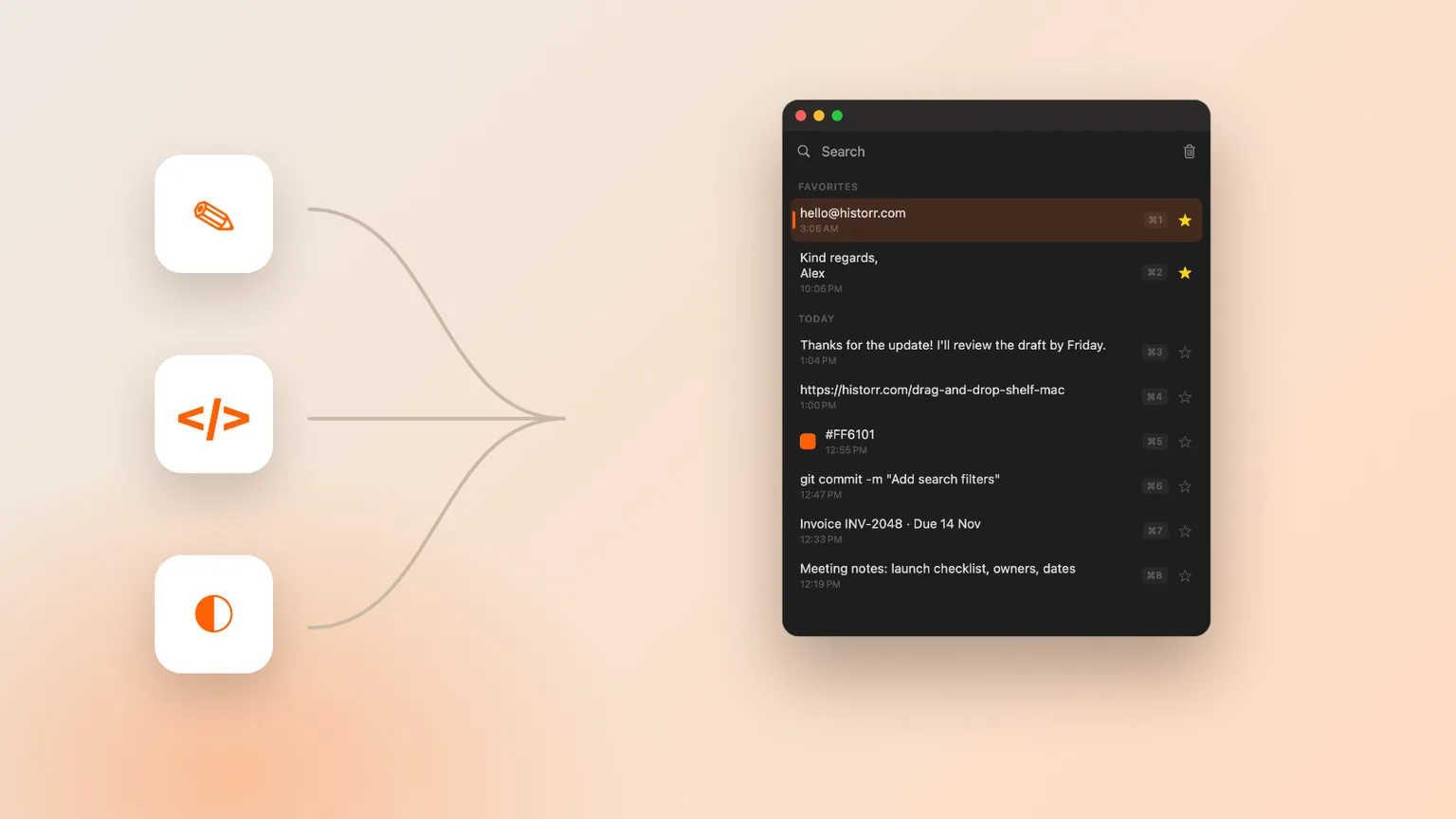
Historr editorial artwork using sample content; no private clipboard data is shown.
The short answerThe best clipboard manager depends on what you copy: prioritize transforms for text, safe search for code, previews for images and a queue for repeated form entry.
The overview
Clipboard managers are easier to compare when the unit is a real clip. Text, code, links, images and ordered form values each need different behavior. Choose the two content types you handle most, then test those first.
Writers benefit from plain-text paste and reusable favorites. Developers need fast search and careful treatment of tokens. Designers need image thumbnails and full previews. Operations work often benefits from a queue that pastes prepared values in order.
Why it happens
A minimal history list can be ideal for text and links. A synchronized visual app can suit people moving clips among Apple devices. A broader workflow tool earns its place only when previews, transforms, queues or temporary file staging remove repeated steps.
Historr stores text and images locally, previews images with Space, provides transforms for text and uses Paste Stack for ordered entry. Its Drag Shelf handles temporary files, folders, links, images and text outside normal clipboard history.
Your step-by-step guide
List your top content types
Review one normal day and note whether you copy sentences, code, URLs, screenshots, file references or repeated form values most often.
Test retrieval and preview
Search with a distinctive fragment, inspect the result and paste it into a blank destination. Similar clips should be easy to distinguish.
Test the specialist action
Try plain-text paste for prose, image preview for design, secret handling for code or ordered pasting for form entry.
Remove unused complexity
Disable features you never use or choose a smaller tool. Capability matters only when it shortens an actual workflow.
Common mistakes to avoid
- Choosing from a feature count without testing a normal task.
- Using real credentials or private client data during evaluation.
- Running several clipboard recorders without knowing which one stores each clip.
Small changes. A faster workflow.
- Use the same synthetic text, URL, image and fake token in every comparison.
- Preview a result before pasting it into live work.
- Recheck official requirements and pricing before downloading or paying.
Compare your options
| Option | Best for | Limits |
|---|---|---|
| Apple Clipboard history | Occasional built-in retrieval on supported macOS | Availability and workflow depth depend on the system |
| Maccy | Minimal, open-source, keyboard-first history | Fewer workflow layers by design |
| Historr | Local text and image history with Paste Stack and Drag Shelf | Requires macOS 13 or later; Mac only |
Apple Clipboard history
Best forOccasional built-in retrieval on supported macOS
LimitsAvailability and workflow depth depend on the system
Maccy
Best forMinimal, open-source, keyboard-first history
LimitsFewer workflow layers by design
Historr
Best forLocal text and image history with Paste Stack and Drag Shelf
LimitsRequires macOS 13 or later; Mac only
Put it into practice with Historr
Historr is a free Mac clipboard manager that runs on macOS 13 Ventura or later on Apple silicon and Intel Macs. Its documentation says history stays local with no account, cloud history or telemetry. Concealed or transient password-manager copies are ignored, and optional sensitive-item expiry can remove content that resembles tokens, codes or payment details.
Press Option-H to open history, type to search, use the arrow keys and press Return to paste. Historr stores text and images, supports Quick Look previews, favorites and text transforms, and can queue values in Paste Stack for repeated ordered pasting.
Drag Shelf is included for temporary files, folders, links, images and text. Open it by shaking while dragging, pressing Option-Shift-D or dropping onto the menu-bar icon. That combined workflow is useful when copied content and dragged project assets move through the same task, but it does not replace cloud sync or a permanent document system.
- Instant search
- Unlimited history
- Favorites
- Keyboard shortcuts
- Privacy
- Offline storage
- Quick preview
- Paste Stack

Keep your next good idea.
Free, private clipboard history for your Mac.
Questions, answered.
Best clipboard manager mac?
The best clipboard manager depends on what you copy: prioritize transforms for text, safe search for code, previews for images and a queue for repeated form entry.
Does macOS already include clipboard history?
Apple documents Clipboard history in Spotlight on supported current macOS releases. Availability depends on the system, while dedicated apps provide their own retention and workflow features.
What should I test before keeping a clipboard manager?
Test search, preview, pasting, clearing, pause behavior and sensitive-item handling with synthetic text, an image and a fake token. Confirm the result again after restarting the Mac.
Take it from here
The best clipboard manager depends on what you copy: prioritize transforms for text, safe search for code, previews for images and a queue for repeated form entry. Use current official documentation, test with safe sample data and keep the app only when it solves the stated task more reliably than your existing workflow. Clipboard history is a convenience and recovery layer, not a permanent archive or password vault.
If you're looking for a faster way to search, organize, and reuse everything you copy, try Historr and see how much time you can save.
Continue with these guides
- Historr documentation
Verify shortcuts, privacy controls, images, Paste Stack and Drag Shelf.
- Clipboard privacy guide
Review local storage, exclusions, expiry and pause controls.