// drag and drop shelf for mac

A free drag and drop shelf for Mac. Shake, drop, done.

Historr gives every drag a place to land. Shake the pointer mid-drag, drop what you're carrying, collect more from anywhere, then drop the whole pile where it belongs. Free, private, and built into a clipboard manager you'll use every day.

// quick answers

Drag and drop on Mac, answered

What is Historr's Drag Shelf?

A drag and drop shelf is a small floating window that temporarily holds files, images, links or text while you drag. You drop items on it, find the destination, then drag everything out in one move instead of juggling windows.


Is it really free?

Yes. Historr, including the Drag Shelf, is free: no trial, no delay, no subscription and no account.

Which Macs does it support?

Any Mac running macOS 13 Ventura or later · Apple Silicon & Intel.

How to use the shelf

  1. 01

    Start dragging

    Drag files in Finder, a photo, a link or some selected text.

  2. 02

    Shake the pointer

    While holding the mouse button, move the pointer quickly left and right. A shelf appears under it.

  3. 03

    Drop and collect

    Let go to drop, then add more items from other folders, apps and windows.

  4. 04

    Drag it all out

    Grab the pile and drop everything into Finder, Mail, Messages, Slack or any app at once.

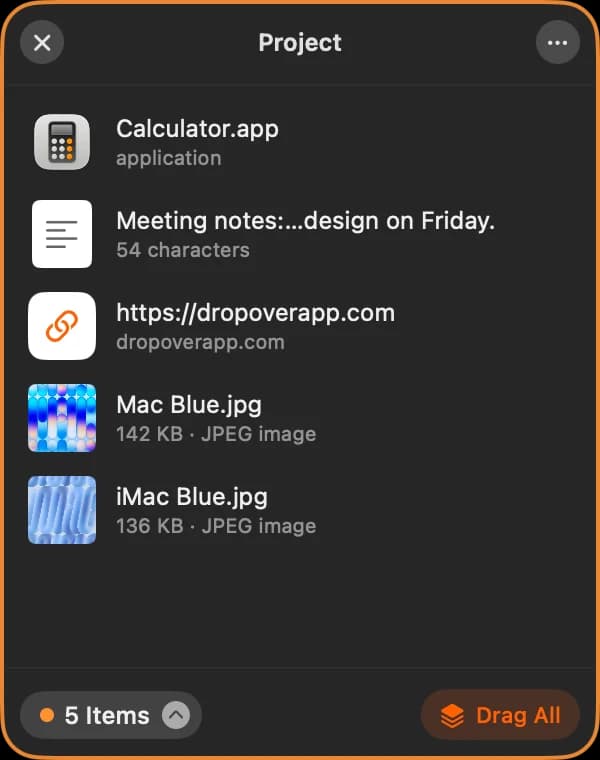
An empty Historr Drag Shelf showing a Drop here watermarkA Historr Drag Shelf holding a pile of two images with a 2 Images countAn expanded Historr Drag Shelf listing an app, a text snippet, a link and two images
Waiting for a drop, holding a pile, and the expanded item list.

Historr vs Dropover vs Yoink

FeatureHistorrDropoverYoinkmacOS Desktop
PriceFreeFree trial, then Pro (one-time)$8.99 one-timeFree
Opens while you dragShake the pointerShake the pointerScreen edge or cursor-
Collect from many places✔✔✔Clutters the Desktop
Drag everything out at once✔✔✔Select all, then drag
Clipboard history in the same app✔-✔-
Sequential Paste Stack✔---
ZIP, resize images, extract text✔✔--
Cloud uploads-✔--

Dropover and Yoink are trademarks of their respective owners. Prices and features as published by each developer at the time of writing. Compare in detail: Historr vs Dropover · Historr vs Yoink.

Drag and drop shelf - FAQ

A drag and drop shelf is a small floating window that temporarily holds files, images, links or text while you drag. You drop items on it, find the destination, then drag everything out in one move instead of juggling windows.