How Developers Manage Code Snippets Without Switching Apps
A developer workflow for managing code snippets, VS Code examples, GitHub links, terminal commands, Stack Overflow answers, and clipboard search.

The short answerDevelopers manage code snippets best when they separate permanent snippets from temporary copied context. Use editor snippets for stable patterns and searchable clipboard history for code, commands, logs, and links you need again soon.
The overview
A developer can copy from VS Code, GitHub, documentation, Stack Overflow, terminal output, issue trackers, and AI tools in the same debugging session.
Some snippets deserve a permanent home. Others are only useful for the current task but still need to be recoverable.
Switching to a separate note every time you copy a useful line breaks flow.
Why it happens
Code reuse spans different levels: stable templates, one-off examples, commands, stack traces, config fragments, and URLs.
Editor snippet systems are great for repeated code patterns, but they are not designed to capture every copied fragment.
Clipboard search fills the gap between source memory and formal snippet libraries.
Your step-by-step guide
Use VS Code snippets for stable boilerplate
Save snippets you intentionally insert often, such as component shells, test patterns, or logging helpers.
Use clipboard history for temporary context
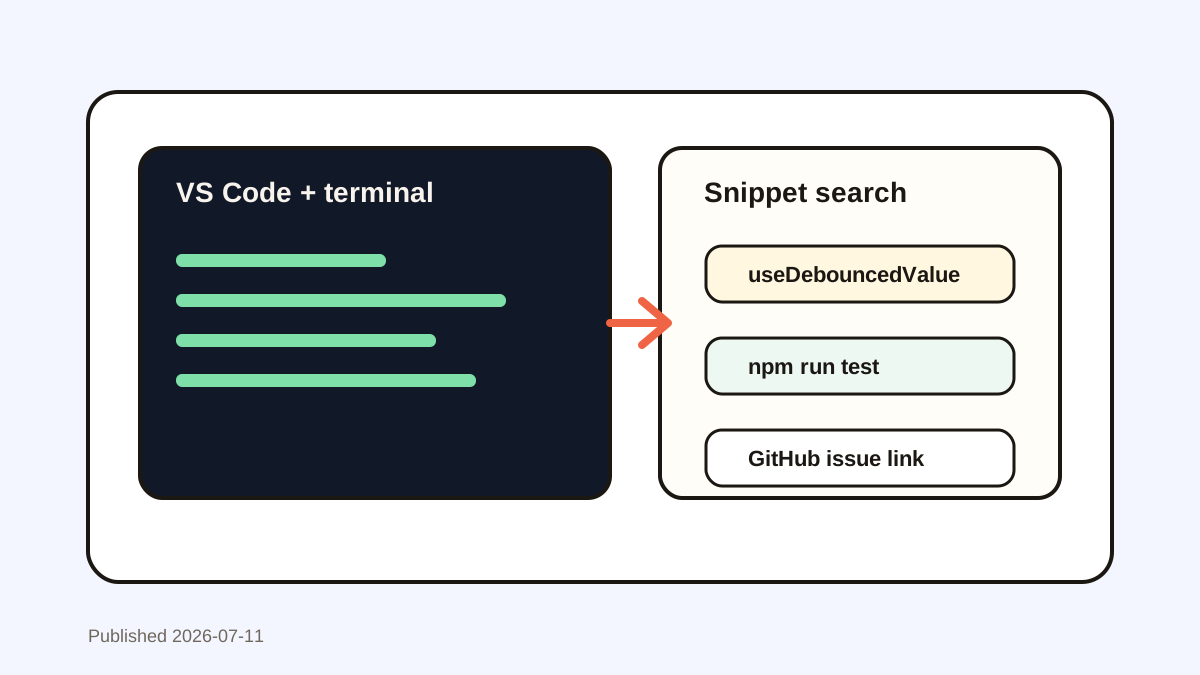
Let copied errors, commands, file paths, diffs, and documentation examples remain searchable while you work.
Favorite recurring commands
If you paste the same migration, deployment, or test command often, favorite it so it is faster than searching shell history.
Search by symbol or flag
Function names, package names, CLI flags, ports, and error codes make excellent clipboard search terms.
Promote only proven snippets
When a copied fragment gets reused across multiple projects, move it into your editor snippets or shared docs.
Common mistakes to avoid
- Turning every copied code block into a permanent snippet.
- Relying on browser tabs to remember Stack Overflow or documentation examples.
- Saving secrets, tokens, or private config values in reusable snippets.
- Using clipboard history as the only source for team-owned patterns.
Small changes. A faster workflow.
- Search for unique function names and error strings.
- Favorite commands you trust and use repeatedly.
- Keep team standards in version-controlled docs or repo templates.
- Delete copied secrets as soon as you notice them in history.
Compare your options
| Option | Best for | Limits |
|---|---|---|
| Editor snippets | Stable code templates | Requires setup and maintenance |
| Clipboard search | Recent code, commands, logs, and links | Not a team knowledge base |
| Shared docs | Team standards and onboarding | Slower during active coding |
Editor snippets
Best forStable code templates
LimitsRequires setup and maintenance
Clipboard search
Best forRecent code, commands, logs, and links
LimitsNot a team knowledge base
Shared docs
Best forTeam standards and onboarding
LimitsSlower during active coding
Put it into practice with Historr
Historr helps developers recover copied code, terminal commands, docs links, file paths, and AI prompt outputs without leaving the current app.
Use favorites for trusted commands and high-value snippets, then rely on search for the noisy middle of development work.
Historr works alongside VS Code snippets and shell history, giving you a broader cross-app memory layer.
- Instant search
- Unlimited history
- Favorites
- Keyboard shortcuts
- Privacy
- Offline storage
- Quick preview
- Paste Stack

Keep your next good idea.
Free, private clipboard history for your Mac.
Questions, answered.
Can clipboard history replace a code snippet manager?
No. It complements snippet managers by capturing recent copied context and temporary fragments.
What should developers favorite in clipboard history?
Reusable commands, code patterns, URLs, and short templates that are safe and used repeatedly.
Is it safe to save code snippets in clipboard history?
Usually yes for non-sensitive code, but delete secrets, credentials, private keys, and production data.
How do I find old copied code?
Search by function name, package name, error string, CLI flag, file path, or a distinctive line from the snippet.
Should team snippets live in clipboard history?
Team snippets should live in shared docs or repositories. Clipboard history is best for personal speed and recovery.
Take it from here
The best developer snippet workflow is layered. Keep permanent patterns in your editor, shared standards in repos or docs, and use clipboard history to recover the useful fragments that appear while you are deep in the work.
If you're looking for a faster way to search, organize, and reuse everything you copy, try Historr and see how much time you can save.