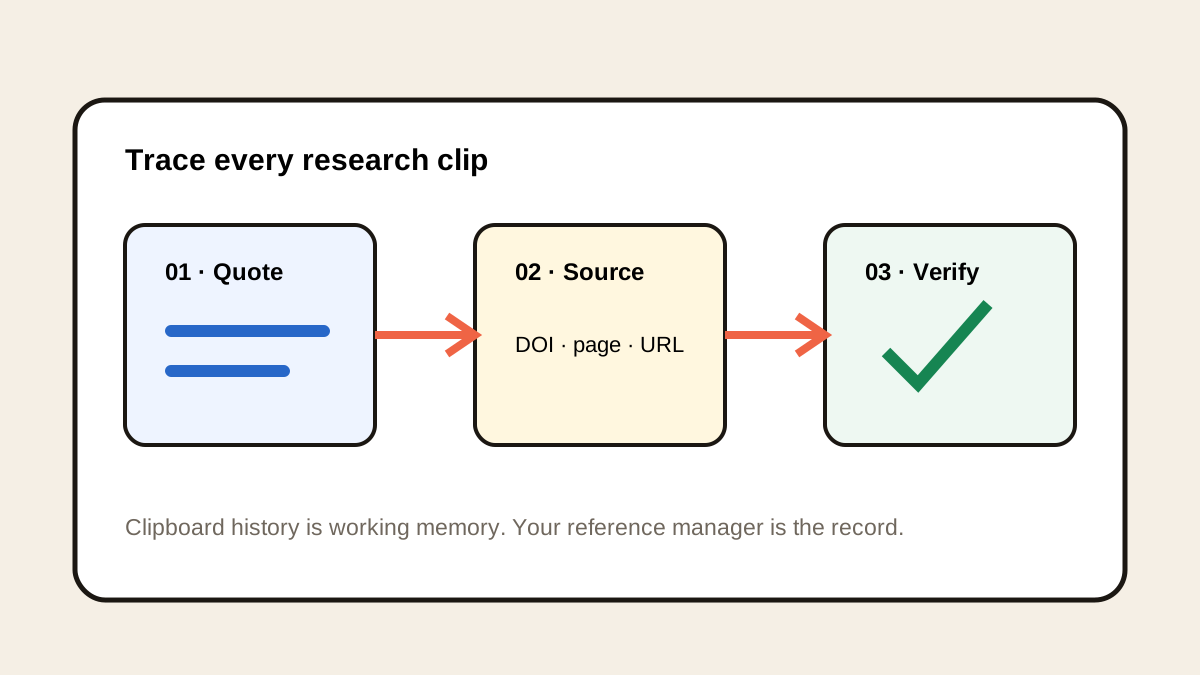
Paste Alternative for Researchers: A Local Workflow
Historr is a local Paste alternative for researchers who need searchable quotations, DOI links, query reuse, previews, and privacy on Mac.


The short answerHistorr is a strong Paste alternative for researchers who want local Mac clipboard history for quotations, DOI links, search queries, notes, and table fragments. Instant search, Quick Look, favorites, and time groups help retrace a session. Historr complements a reference manager and research notebook; it does not create citations or preserve scholarly provenance automatically.
The overview
A copied quotation usually does not carry the page number and citation record needed for publication.
Researchers also handle restricted material, participant data, embargoed findings, and licensed sources that should not remain indefinitely.
The right Paste alternative should make cross-app recovery easy without being mistaken for a formal research repository.
Why it happens
Clipboard systems preserve content, not provenance. A paragraph and its DOI may appear as separate clips.
Local history reduces unnecessary transfer, while search and previews make it possible to reconstruct the order of a recent reading session.
Your step-by-step guide
Copy the source marker
Capture the DOI, stable URL, title, author, or page number before or with the important passage.
Search by concept or author
Use a surname, method, dataset, query term, or distinctive phrase to find a recent research clip.
Preview the complete fragment
Check that quotation boundaries, units, line breaks, and nearby context match the intended source.
Promote verified material
Move confirmed quotations and citations into the reference manager, research notebook, or draft.
Delete restricted data
Remove participant details, credentials, licensed full text, and other sensitive material according to policy.
Common mistakes to avoid
- Treating clipboard history as a citation database.
- Separating a quotation from its source marker.
- Keeping participant data in ordinary history.
- Pasting table values without checking units and headers.
Small changes. A faster workflow.
- Pair quotes with page numbers.
- Favorite safe database queries.
- Search by DOI fragments.
- Keep the reference manager authoritative.
Compare your options
| Option | Best for | Limits |
|---|---|---|
| Historr | Local cross-app capture and recovery | Does not generate or verify citations |
| Paste | Organized searchable research across Apple devices | Sync may not fit every data policy |
| Reference manager | Durable citation records and PDFs | Slower for temporary fragments |
Historr
Best forLocal cross-app capture and recovery
LimitsDoes not generate or verify citations
Paste
Best forOrganized searchable research across Apple devices
LimitsSync may not fit every data policy
Reference manager
Best forDurable citation records and PDFs
LimitsSlower for temporary fragments
Put it into practice with Historr
Historr keeps copied research fragments searchable on the Mac without an account or cloud sync.
Quick Look supports verification of long excerpts, favorites keep safe queries and database syntax close, and time groups help retrace a recent session.
The local-only boundary can suit privacy-conscious work, but researchers must still follow institutional rules and remove restricted data.
- Instant search
- Unlimited history
- Favorites
- Keyboard shortcuts
- Privacy
- Offline storage
- Quick preview
- Paste Stack

Keep your next good idea.
Free, private clipboard history for your Mac.
Questions, answered.
Can Historr replace Zotero or another reference manager?
No. Historr captures temporary clipboard context, while a reference manager stores verified citation records and source files.
How should I copy a quotation?
Keep it connected to an author, title, DOI or URL, page number, and any context needed for accurate use.
Does Historr sync research clips?
No. Historr keeps history local on the Mac and does not provide cloud sync.
What research content is safe to favorite?
Reusable public queries, search syntax, and non-sensitive templates are safer than participant or source-specific content.
Take it from here
Historr works best as short-term memory between research tools. It is a focused local Paste alternative, while verified evidence and citations belong in durable scholarly systems.
If you're looking for a faster way to search, organize, and reuse everything you copy, try Historr and see how much time you can save.