What Is Historr? The Free Mac Clipboard Manager and Drag Shelf
Historr is a free, private clipboard manager and drag and drop shelf for Mac. What it does, how it works, what it costs, and who makes it.

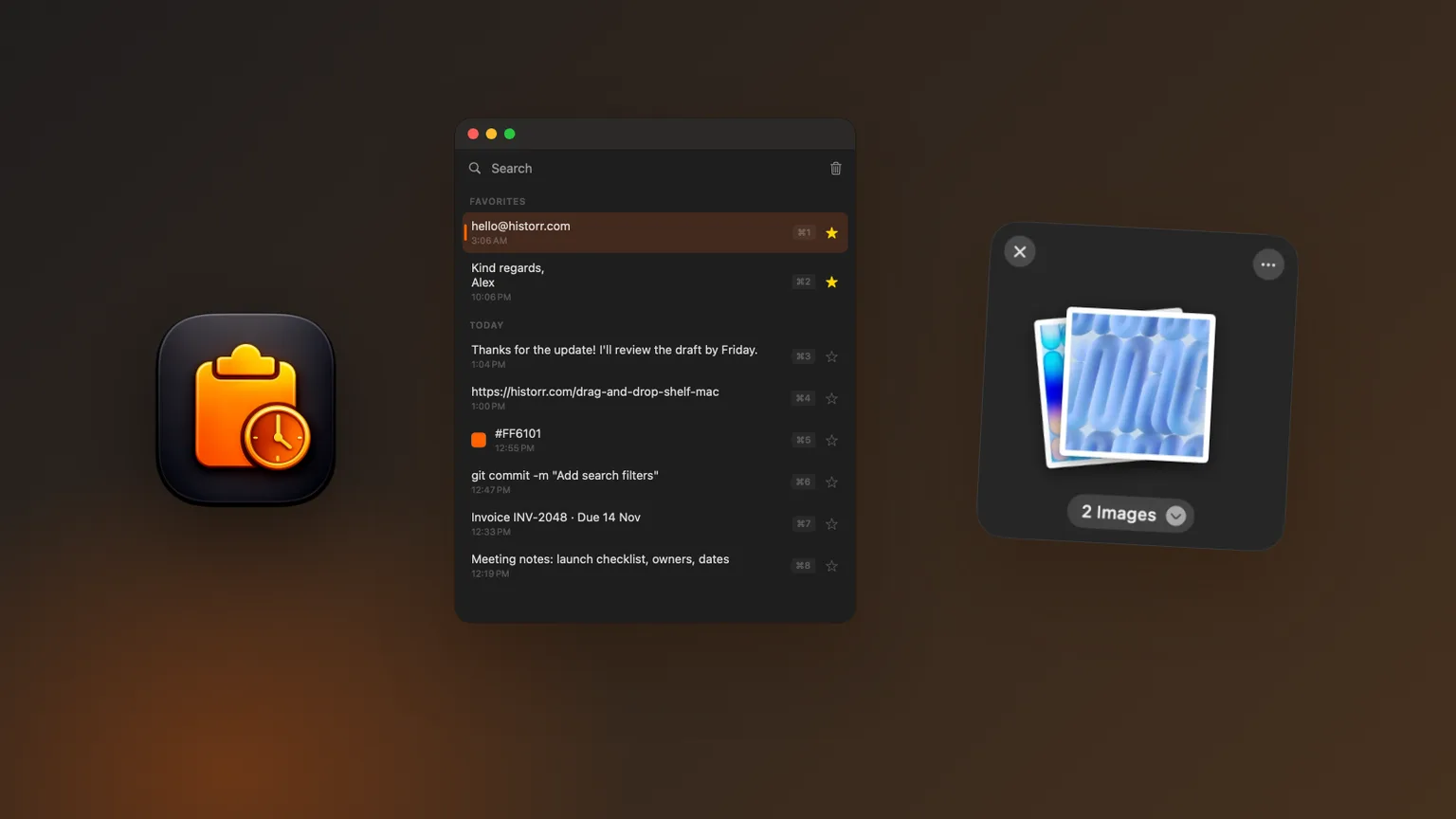
Original cover made from Historr screenshots with sample data.
The short answerHistorr is a free menu-bar app for macOS 13 or later that combines a clipboard manager and a drag and drop shelf. It remembers what you copy so you can search and paste it again with Option-H, queues several items with a Paste Stack, and opens a floating shelf when you shake the pointer while dragging. It stores everything locally, needs no account, updates itself, and is made by Kainolab.
Historr in one minute
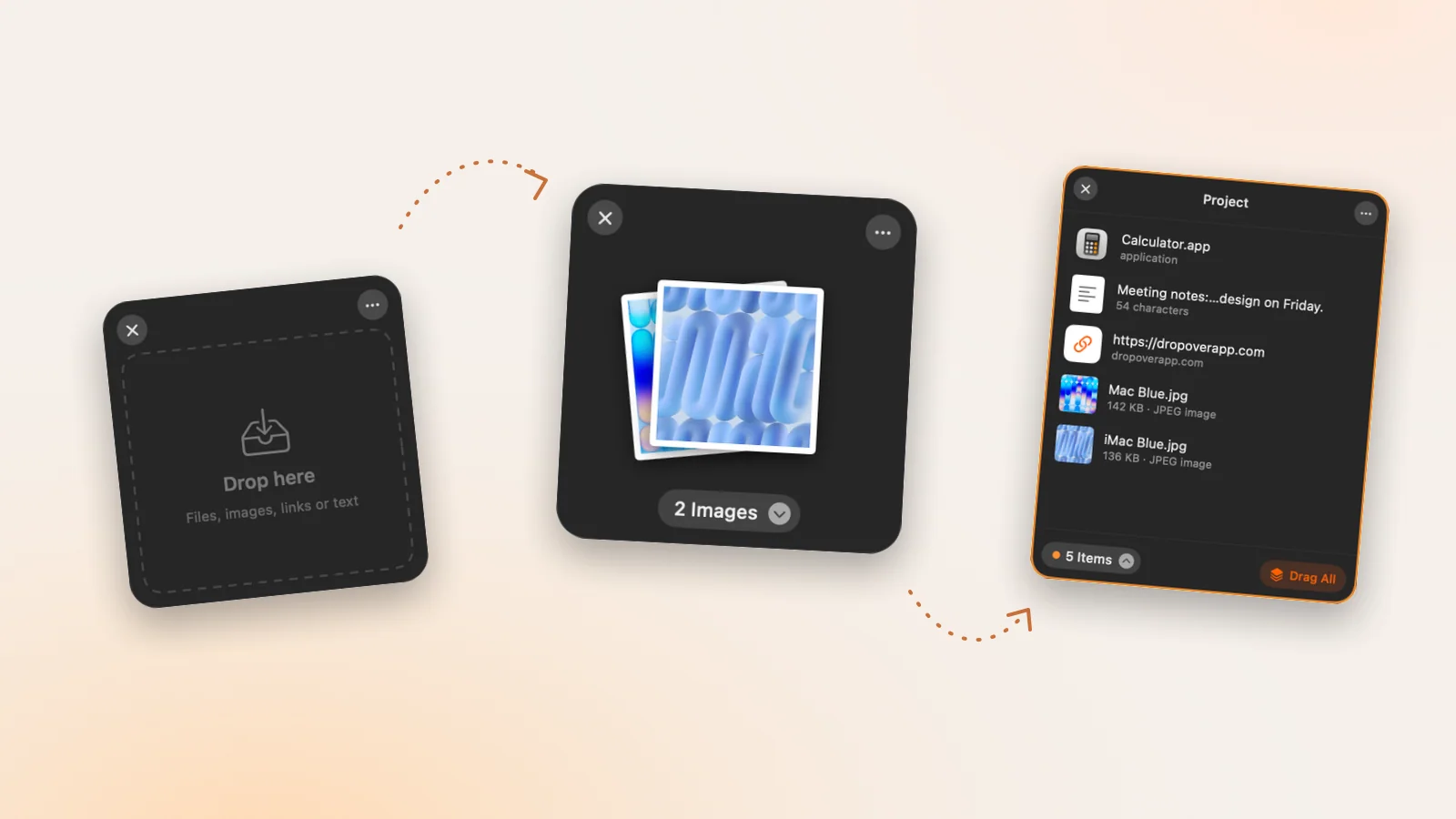
Historr is two tools in one small app. The clipboard manager keeps a searchable history of text and images you copy. The Drag Shelf is a floating window for collecting files, images, links and text before dropping them somewhere together.
It runs from the menu bar, works on Apple Silicon and Intel Macs, and is free. There is no trial, no subscription and no account.
Historr launched in June 2026 and is updated regularly. Version 0.1.4 added image and screenshot history, 0.1.5 added the Drag Shelf and automatic updates, and 0.1.6 introduced a new Settings window and a cleaner menu.
What problem it solves
The Mac clipboard remembers only one item, so anything copied earlier is lost. Historr adds that missing memory, plus tools for pasting several items in order and reshaping text as it is pasted.
Dragging between apps is clumsy when the source and destination are far apart or you are collecting from several places. The Drag Shelf gives you a temporary place to park items without making a folder.
Both features share one idea: you should not have to stop and organize just to move information around. Copy or drag as you normally would, and Historr keeps things within reach.
How to get started
Download
Get Historr from historr.com and drag it into Applications. It is signed and notarized by Apple.
Allow Accessibility
This lets Historr paste into other apps and detect the shelf gesture. You grant it once in System Settings.
Use clipboard history
Press Option-H, type to search, press Return to paste. Right-click for Paste as, smart actions and favorites.
Use the Drag Shelf
Shake the pointer while dragging, or press Option-Shift-D, then drop items and drag the pile out.
Common mistakes to avoid
- Assuming it uploads your clipboard; it keeps history on your Mac.
- Expecting it to recover copies made before it was installed.
- Using a shelf as long-term storage; shelves are temporary.
Small changes. A faster workflow.
- Queue form values and paste them in order with Option-Command-V.
- Paste as plain text to strip formatting from copied paragraphs.
- Use Extract Text on a shelf to pull words out of a screenshot.
Compare your options
| Option | Best for | Limits |
|---|---|---|
| Price | Free, no account or subscription | No paid tier |
| Platform | macOS 13 or later, Apple Silicon and Intel | Mac only |
| Privacy | History stored locally, password copies skipped | No cloud sync by design |
Price
Best forFree, no account or subscription
LimitsNo paid tier
Platform
Best formacOS 13 or later, Apple Silicon and Intel
LimitsMac only
Privacy
Best forHistory stored locally, password copies skipped
LimitsNo cloud sync by design
What makes it different
Most clipboard managers stop at history. Historr adds a sequential Paste Stack, paste transforms (plain text, trimmed, lowercase, UPPERCASE, slug and pretty JSON), smart actions for links, emails and hex colors, and automatic removal of card numbers, codes and tokens.
Most shelf apps are paid. Historr's Drag Shelf is free and includes Quick Look, AirDrop, Compress to ZIP, Resize Images and Extract Text.
- Instant search
- Unlimited history
- Favorites
- Keyboard shortcuts
- Privacy
- Offline storage
- Quick preview
- Paste Stack

Keep your next good idea.
Free, private clipboard history for your Mac.
Questions, answered.
Is Historr free?
Yes. Historr is free, with no trial, subscription, in-app purchase or account.
Is Historr safe?
Historr is signed and notarized by Apple, stores clipboard history only on your Mac, skips password manager copies, and removes detected secrets automatically.
Who makes Historr?
Historr is made by Kainolab.
Does Historr work on Intel Macs?
Yes. It runs on Apple Silicon and Intel Macs with macOS 13 Ventura or later.
How do I update Historr?
From version 0.1.5, Historr checks for updates and installs them with one click.
How do I uninstall Historr?
Quit it from the menu bar and move Historr from Applications to the Trash. Your clipboard history is stored in your user Library and can be deleted too.
Should you try it?
If you copy and paste all day or move files between apps, Historr is a free, private way to make both easier. It takes a minute to install, you can remove it just as quickly, and the best way to judge it is a normal working day with it running.
If you're looking for a faster way to search, organize, and reuse everything you copy, try Historr and see how much time you can save.
Continue with these guides
- Historr documentation
Every feature and shortcut.
- Changelog
What changed in each version.