Clipboard Manager for UX Designers and Product Teams
Use clipboard history for Figma values, UX copy, research quotes, color codes, component names, and developer handoff without losing context.

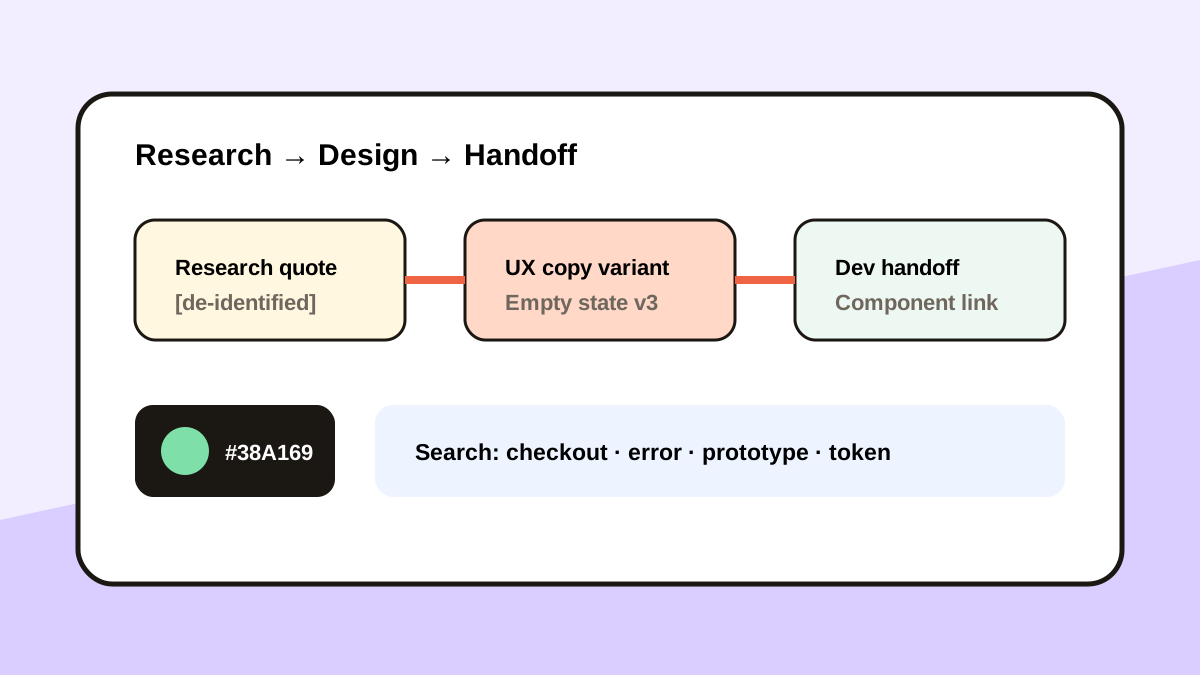
The short answerA clipboard manager helps UX designers recover hex colors, component names, prototype links, UX copy, research excerpts, and handoff notes across Figma, browsers, documents, and issue trackers. Use favorites for approved tokens and safe text patterns, search for temporary variants, and move validated decisions into the design system or research repository.
The overview
A UX workflow commonly crosses research notes, Figma, a browser, ticketing, and developer chat. One new copy can replace a valuable color, link, or text variant.
Research quotes also carry participant context and privacy risk, so temporary convenience needs firm retention rules.
Why it happens
Design tools optimize the canvas, not cross-app memory. Copied text and values leave the design file as soon as they move elsewhere.
Multiple variants may look similar in history, which makes preview and clear naming important.
Your step-by-step guide
Favorite approved design values
Keep safe tokens, public links, component names, and approved UX writing patterns close at hand.
Search temporary variants
Find draft labels, error messages, empty states, and prototype links by a distinctive phrase.
Protect research data
Remove names and identifiers, and delete participant excerpts when policy requires.
Promote final decisions
Move validated copy and tokens into the design system, component library, or research repository.
Common mistakes to avoid
- Using clipboard favorites as the official design system.
- Keeping identifiable participant quotes.
- Pasting an old prototype link into handoff.
- Reusing a hex value without checking its semantic token.
Small changes. A faster workflow.
- Search by component or flow.
- Preview long UX copy.
- Keep public and private research separate.
- Favor semantic tokens over raw colors.
Compare your options
| Option | Best for | Limits |
|---|---|---|
| Design system | Approved reusable decisions | Requires governance |
| Research repository | Traceable findings | Slower during active design |
| Clipboard history | Temporary cross-app values | Not a source of truth |
Design system
Best forApproved reusable decisions
LimitsRequires governance
Research repository
Best forTraceable findings
LimitsSlower during active design
Clipboard history
Best forTemporary cross-app values
LimitsNot a source of truth
Put it into practice with Historr
Historr recognizes links, emails, and hex colors, including a live color swatch and Copy-as-RGB action.
Quick Look helps compare longer UX copy, while local search recovers prototype URLs and component notes.
Keep approved decisions in the design system and use Historr for the working path between tools.
- Instant search
- Unlimited history
- Favorites
- Keyboard shortcuts
- Privacy
- Offline storage
- Quick preview
- Paste Stack

Keep your next good idea.
Free, private clipboard history for your Mac.
Questions, answered.
Can a clipboard manager store hex colors?
Yes. Historr can recognize hex colors, show a swatch, and copy them as RGB.
Should UX research quotes stay in history?
Only when policy allows it and identifiers are removed; delete sensitive excerpts promptly.
What should designers favorite?
Safe approved tokens, component names, public links, and reusable UX writing structures.
Can clipboard history replace a design system?
No. The design system remains the approved source of truth.
Take it from here
Use clipboard history for motion between tools, not governance. Temporary values stay searchable; approved design decisions move into shared systems.
If you're looking for a faster way to search, organize, and reuse everything you copy, try Historr and see how much time you can save.