Turn Meeting Notes Into a Clear Follow-Up on Mac
Quick Answer: Build your follow-up around three things: decisions, actions, and open questions. Give each action an owner and an agreed due date, then verify the links and recipients before sharing.
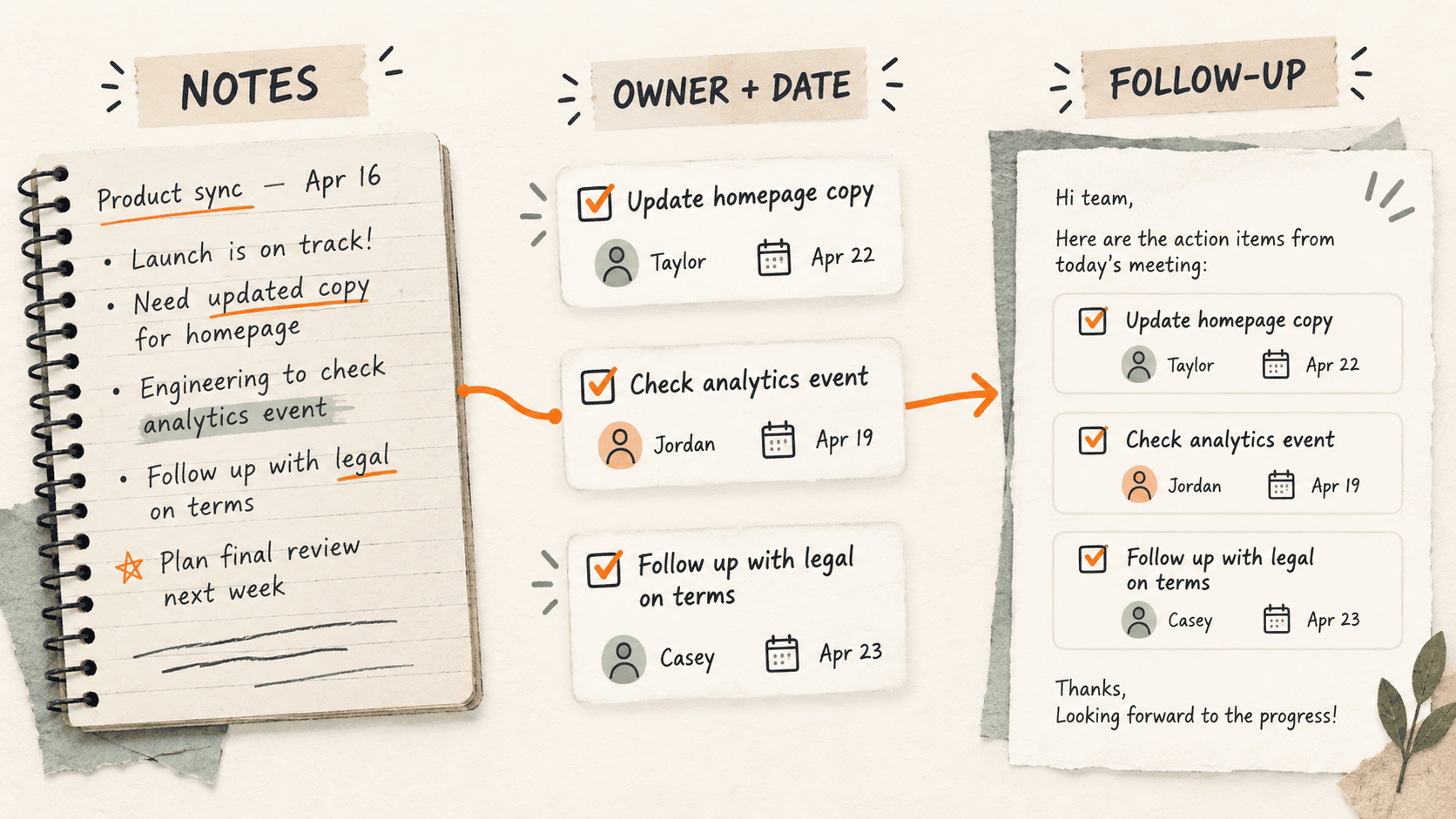
What problem does meeting follow-up organization solve?
A meeting ends with notes in a document, a useful link in chat, and a few copied phrases. The hard part is turning those fragments into a message that tells everyone what happens next.
For example, “update the draft” is incomplete. “Maya will share the revised draft by Thursday” gives the team an owner and a next checkpoint, provided both were actually agreed.
Why do meeting follow-up organization issues happen?
Notes often capture the order of conversation rather than the final outcome. An early suggestion can sit beside a later decision with no indication of which one survived.
Switching between chat, notes, and a task board also makes it easy to copy over a useful link before putting it into the follow-up.
How can you solve it step by step?
1. Prepare a short follow-up skeleton
Use headings for Decisions, Actions, and Open questions. Add a place for the meeting date and the shared notes link. A short reusable skeleton keeps the message focused.
2. Collect the relevant fragments
Bring together the final notes, project links, and task references. If you use clipboard history, preview recovered clips and match them against the source document before adding them.
3. Convert discussion into explicit actions
Write each action as a verb, deliverable, owner, and due date. For example: Review the onboarding draft — Maya — 1 October. If an owner or date was not agreed, mark it To confirm rather than inventing one.
4. Separate decisions from proposals
Only place settled outcomes under Decisions. Move unresolved choices into Open questions and name the person who will clarify them when that is known.
5. Check and share the finished message
Open each link and confirm the intended recipients can use the destination. Check names and dates, send through your normal channel, and put ongoing tasks into the team’s task system.
Which common mistakes should you avoid?
- Presenting a suggestion as an agreed decision.
- Assigning a deadline nobody agreed to.
- Sending an old task link recovered from history without opening it.
Which expert tips make the workflow faster?
Comparison table for meeting follow-up organization
| Option | Best for | Limits |
|---|---|---|
| Meeting notes | Preserving discussion and context | May be too long for a follow-up |
| Follow-up message | Summarizing decisions and next steps | Can become outdated |
| Task board | Tracking owners and progress | Needs updates after the meeting |
How does Historr make clipboard management easier?
Historr can help recover copied task links and note fragments while you assemble the message. Search for a distinctive task name, then use Quick Look to inspect the full clip.
Favorite a generic follow-up skeleton for reuse. Historr does not assign tasks or verify meeting decisions; those checks remain part of preparing the message.
What do people ask about meeting follow-up organization?
What belongs in a meeting follow-up?
Include settled decisions, actions with owners and agreed dates, unresolved questions, and links needed to continue the work.
Should I paste the entire meeting transcript?
A concise follow-up is usually easier to act on. Link the longer meeting record when people need context.
What if an action has no owner?
Mark the owner as To confirm and ask for clarification. Do not turn an assumption into an assignment.
What is the final verdict?
A good follow-up makes the next step obvious. Use clipboard history to gather the pieces, then check the decisions, owners, and dates against the actual meeting record.
If you're looking for a faster way to search, organize, and reuse everything you copy, try Historr and see how much time you can save.