How to Reuse Email Replies Without Sending Stale Details
Quick Answer: Save generic reply structures, replace every placeholder in the draft, and check the recipient, dates, and links against the current conversation before sending.
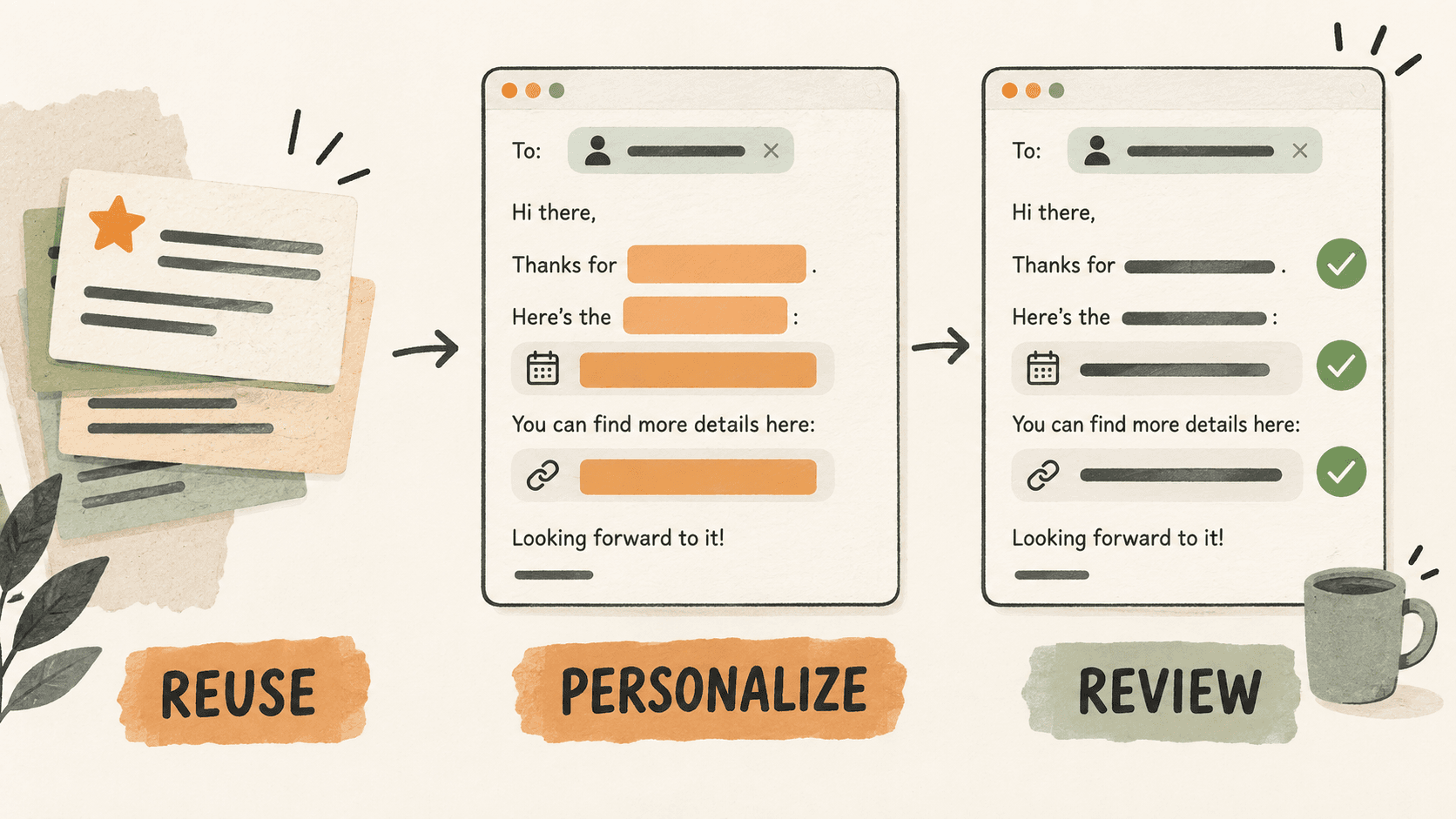
What problem does reusable email reply review solve?
Reusable replies work well for scheduling, document requests, and project updates. Trouble starts when a copied reply brings along an old name, deadline, or private document link.
The goal is to reuse the stable structure while deliberately supplying the details that change. A template should remind you what to check, not hide assumptions in polished prose.
Why do reusable email reply review issues happen?
A previously sent message looks complete, so stale details are easy to skim past. A friendly greeting or familiar project name can make the whole reply feel current when it is not.
Clipboard search can also return several similar replies. The first matching sentence may belong to a different person or project.
How can you solve it step by step?
1. Start with a generic structure
Save a short reply such as: Hi [NAME], here is [DOCUMENT] for [PROJECT]. Please share feedback by [DATE]. Use placeholders that are visually different from ordinary prose.
2. Keep changing details out of favorites
Remove real names, private links, and one-off promises from the saved version. Favorite the generic structure, and keep approved project facts in their normal source document.
3. Preview before pasting
Search Historr for a distinctive phrase from the template. Use Quick Look to read the whole clip so that a matching opening line does not conceal the wrong ending.
4. Fill the draft from the current thread
Replace every placeholder with information from the active conversation or project record. If the deadline is unresolved, ask for agreement instead of borrowing a date from an older reply.
5. Perform a final recipient-date-link check
Read the To and Cc fields, check every date and timezone, and open the included links. Search the draft for leftover brackets. Confirm promised attachments are attached before sending.
Which common mistakes should you avoid?
- Favoriting a complete customer reply as a universal template.
- Replacing the greeting while leaving an old deadline in the final paragraph.
- Assuming a pasted link points to the latest document.
Which expert tips make the workflow faster?
Comparison table for reusable email reply review
| Option | Best for | Limits |
|---|---|---|
| Generic snippet | A reusable structure across conversations | Needs personalization |
| Previously sent reply | Recovering context from one conversation | May contain stale or private details |
| Email draft | Reviewing the exact message to be sent | Must still be checked before sending |
How does Historr make clipboard management easier?
Historr favorites keep reusable text easy to find, and Quick Look lets you inspect the full snippet before pasting. Local history helps retrieve a reply structure you copied earlier.
Use the email app for addressing, attachments, and the final send. Historr does not validate recipients, update deadlines, or replace placeholders automatically in this workflow.
What do people ask about reusable email reply review?
What should I save as an email favorite?
Save a generic structure with clear placeholders, without personal data or links that only work for one recipient.
Can Historr personalize my reply automatically?
This workflow uses Historr to store and retrieve text. You replace the placeholders and verify the draft yourself.
How can I spot a stale reply?
Check the recipient, project name, dates, document links, and promised attachments. Compare them with the current thread rather than relying on memory.
What is the final verdict?
Reusable replies are most reliable when the reusable part is small. Keep a clean structure, fill in current details, and make recipient-date-link review your last step.
If you're looking for a faster way to search, organize, and reuse everything you copy, try Historr and see how much time you can save.